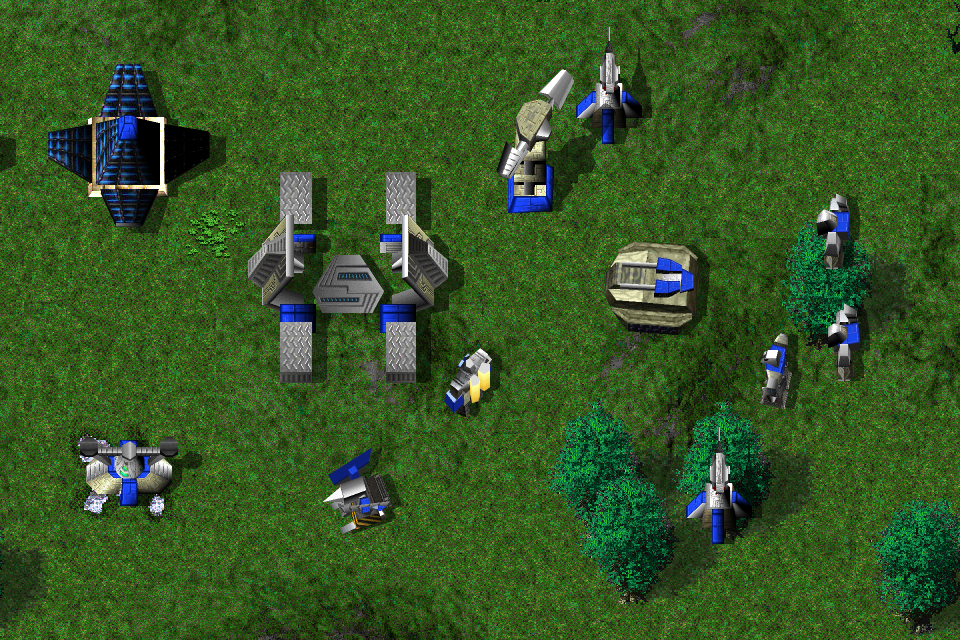
Tracks and scorch marks
Units leave footprints and tank tracks. Explosions leave scorch marks that fade over time.
Nanolathe uses TA’s original models and textures, with a new renderer that adds zoom, lighting and other effects. You can compare the results below, including a few effects you can turn on and off individually.
Modern GPU is the default. Press F10 in-game to switch to Classic, or use Options → Nanolathe. The display settings don’t change the gameplay rules.
Terrain and tree detail is synthesized locally from your game files in the native beta. The browser demo uses the original terrain.
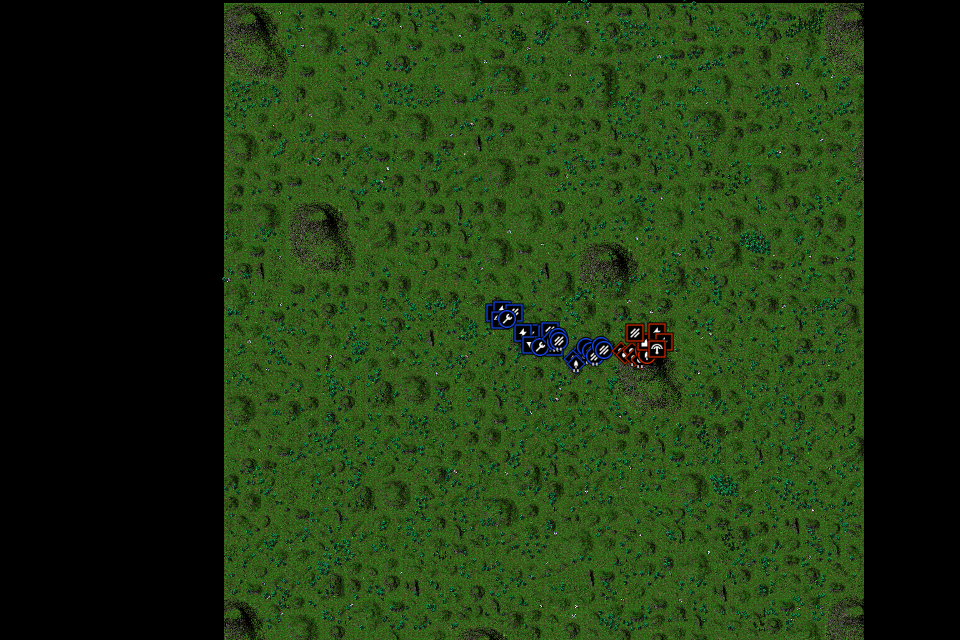
The camera runs from a 2× close-up to a view of the whole map. When units get too small to make out, team-colored icons show their type and position.
Strategic icon referenceTwenty-six engine captures cover the camera’s zoom range. The slider starts at 1×, reaches 2× detail and pulls back to the camera’s whole-map minimum, 0.078125×. Thirty-nine staged units use settled, activated COB poses. The second solar was moved onto clear ground and a metal extractor occupies the deposit. Unit placements stay fixed; the camera pans at wide scales and fog is omitted. Each stop is native 960 × 640; no image is enlarged to simulate camera zoom.
Engine 617540c5 · October 4, 2026 · Modern GPU on Metal. Browse the published renderer source.
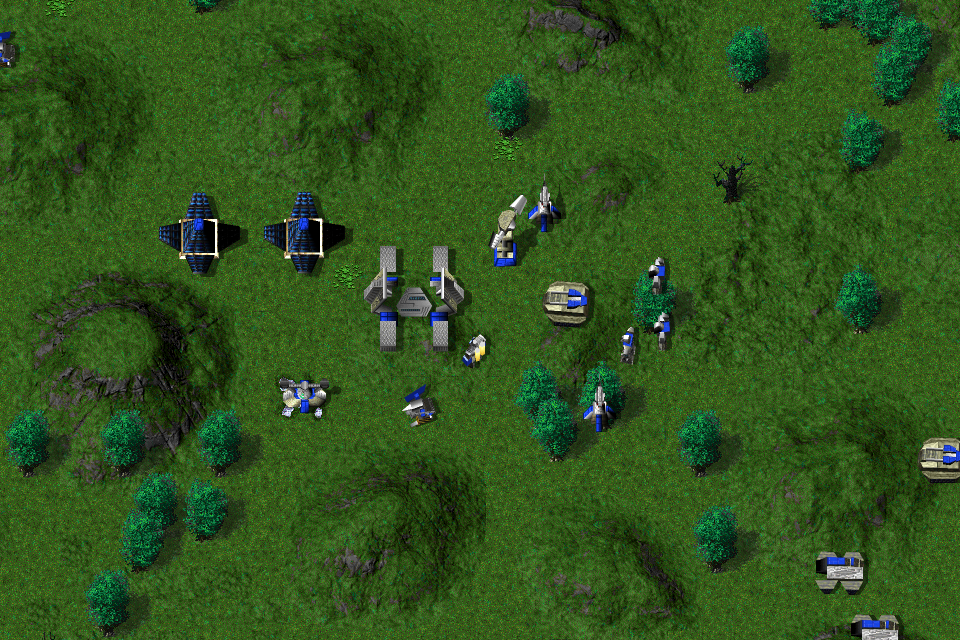 1× · Original scale
Move from the whole map to a 2× close-up.
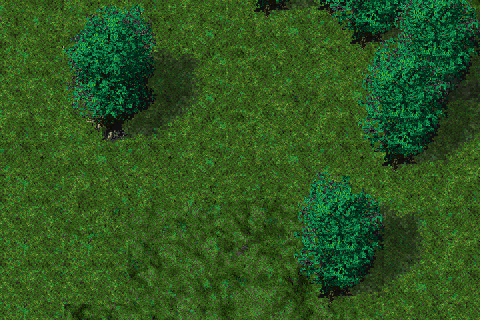
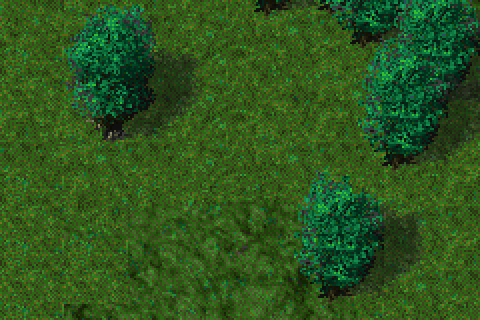
The native engine generates larger terrain tiles by matching small patches of TA’s original artwork. A 32 × 32 tile becomes 64 × 64, and tree sprites get the same 2× treatment. The result is cached locally, so it can be reused next time you play.
The grass and leaves show the difference at this distance. Both views use the same 2× camera.
A close Greenhaven view is rendered twice through Modern GPU, using original artwork and then real synthesized terrain and foliage. Both captures share the same camera and committed state. Healthy native leaf sprites are used; authored dead stumps are cleared in this staged display. Native 480 × 320 captures show a smaller area at the same 2× camera. Shadow or missing variants keep the engine’s normal fallback.
Engine 617540c5 · October 4, 2026 · Modern GPU on Metal. Browse the published renderer source.
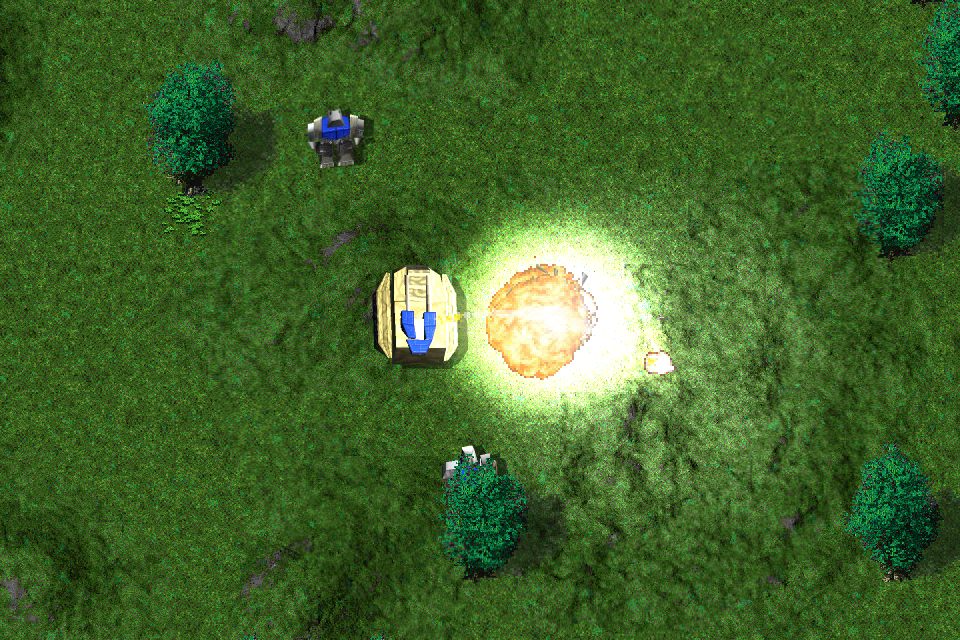
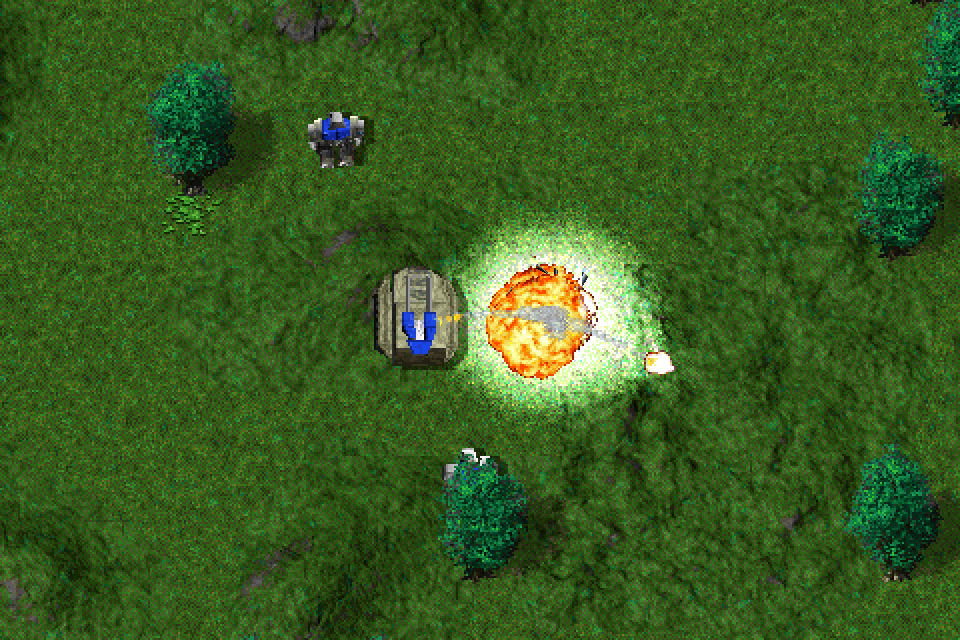
An explosion lights the ground and nearby models as well as drawing its own sprite. Bright effects also get a soft glow. This scene compares the full Classic and Modern renderers.
The armor on the Bulldog beside the exploding Jeffy shows the extra lighting clearly.
A Jeffy self-destructs beside a Bulldog among healthy Greenhaven trees. Classic CPU and Modern GPU share the same committed tick 132 and 2× camera. Modern uses real 2× synthesized terrain and foliage, with default anti-aliasing, lighting and glow at native strengths. The clearing removes burn successors and authored dead stumps; the surrounding trees remain healthy. Full renderer comparison, native 960 × 640. The accompanying video is 3 seconds at 30 FPS.
Engine 617540c5 · October 4, 2026 · Modern GPU on Metal. Browse the published renderer source.
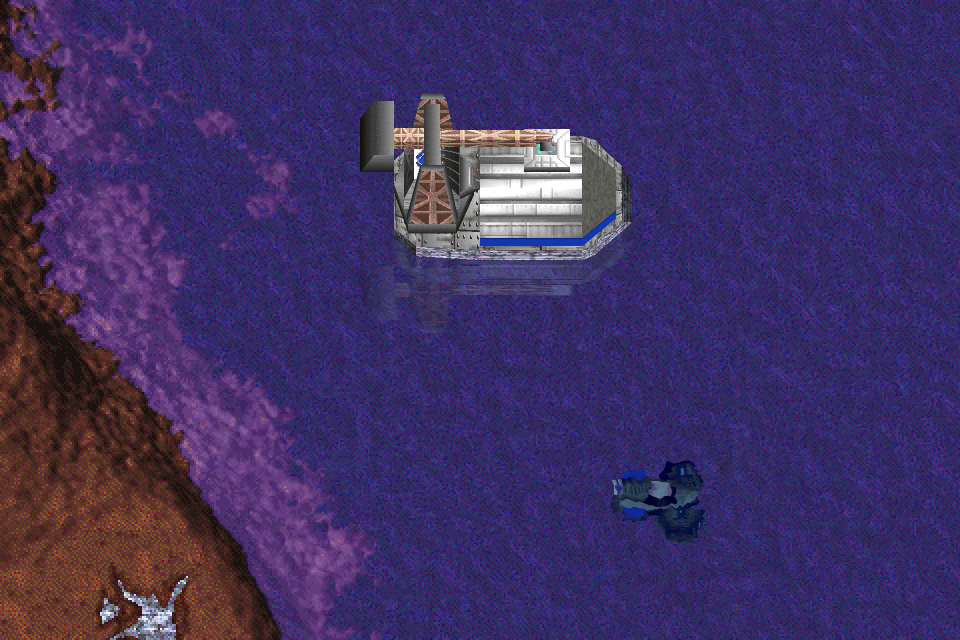
The modern renderer adds moving water, shoreline foam, reflections and underwater refraction. This interactive browser study uses the engine’s water equations with original transport and submarine models on Gods of War terrain.
Pause the water and toggle the effects separately. The submarine shows refraction; the transport’s crane is visible in the reflection.
This live WebGL water study uses frozen, activated transport and submarine poses exported at committed tick 31 from engine 617540c5. Original palette textures, the native terrain view and the engine’s projected shoreline mask are retained. Water field, surface shading, damp shoreline, foam, refraction and reflection ripple/tint/opacity arithmetic are adapted at native strengths. The sampled wind direction and tidal rate remain fixed. WebGL triangle/depth rasterization, texture filtering, and reflected-mesh occlusion differ from the native height-key screen-space resolve. It does not simulate units, COB wakes, shadow passes or gameplay. The native Metal engine recording below includes moving units, real wakes and evolving wind. The native video is 6 seconds at 30 FPS.
Browser water study · engine equations from 617540c5. Browse the published renderer source.
Metal textures catch broad highlights and directional glints, while painted panels have a softer finish. The model keeps its original colors and panel seams.
Rotate the unit or orbit the light to see the highlights move. Hold the angle still to compare with the finish turned off.
This ARM mobile Annihilator model and its texture atlas were exported from engine 801c8b2. WebGL adapts the engine’s metal/paint finish and glint arithmetic; rotation, tilt and an optional light orbit are study controls. Its projection, depth testing, anti-aliasing and floor shadow differ from the game renderer. It is a material study, not a playable unit. The native Metal engine comparison below was captured at 279f7af1.
Browser material study · engine equations from 801c8b2. Browse the published renderer source.
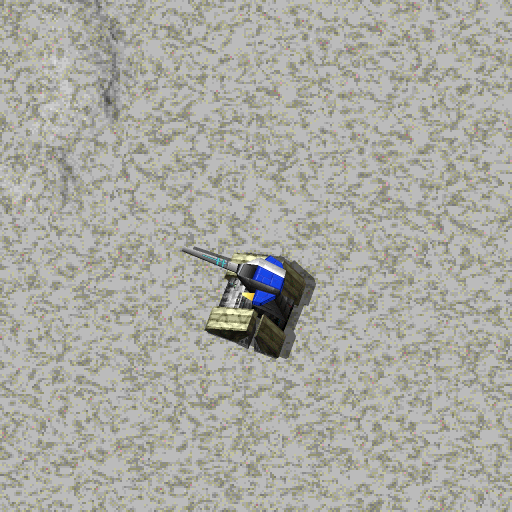
Drag to rotate
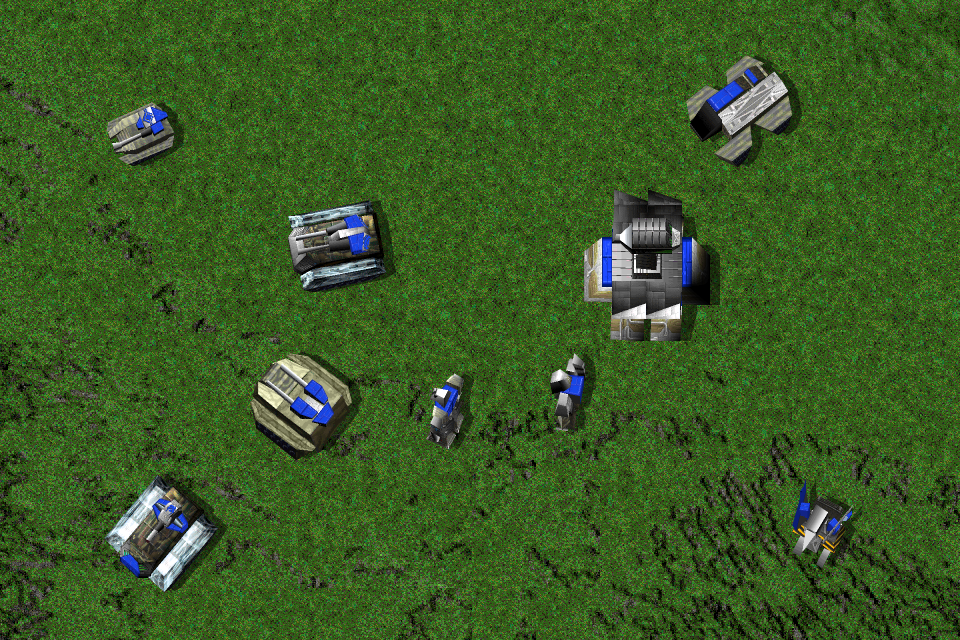
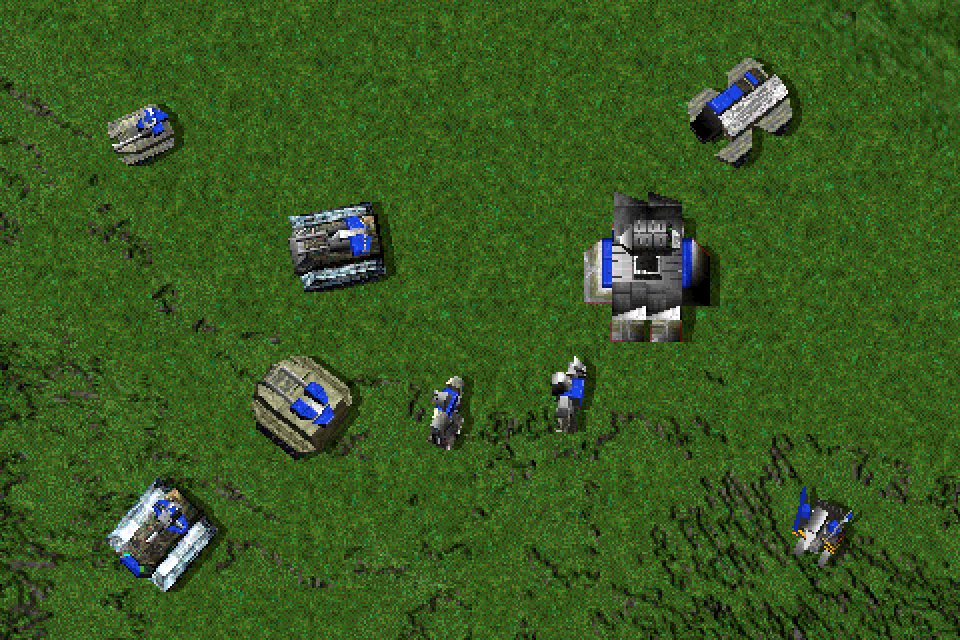
Modern anti-aliasing draws models at twice the resolution in each direction, then combines four samples per output pixel. It works on mobile units and their moving parts as well as buildings.
Compare the gun barrels and diagonal armor across these nine models. Both renderer paths have anti-aliasing enabled; Modern extends it to mobile units.
Bulldog, Maverick, Zeus, Reaper, Annihilator, Stumpy, Merl, Goliath and a construction Kbot share committed poses and the 2× camera. Both renderer paths have anti-aliasing enabled: Classic retains structure coverage, while Modern extends it to mobile units. Vegetation is cleared from the tableau so it does not hide the models. Whole renderer paths, native 960 × 640.
Engine 617540c5 · October 4, 2026 · Modern GPU on Metal. Browse the published renderer source.
Burning vegetation distorts the view behind the rising heat. Turning shimmer off leaves the original flame and smoke sprites in place.
Watch the grass just above the three burning palms. You can pause the clip and toggle shimmer on the same frame.
Three original architree01 palms are placed and ignited through the real feature service. Session.Step advances their flames, smoke and burning lifecycle. Matched Modern GPU views toggle only FireShimmer. The 2× camera and native effect strength remain fixed; no image resampling or retiming is used. Captured at 480 × 320, 5 seconds at 30 FPS.
Engine 617540c5 · October 4, 2026 · Modern GPU on Metal. Browse the published renderer source.
Fresh wrecks glow and distort the air, then return to their normal textures as they cool. This follows the wreck’s age in the engine.
The Stumpy is destroyed one second into the clip. Let it play to the end to see the glow and shimmer fade.
A Stumpy takes ordinary nonlethal damage during warmup, then an ordinary lethal damage packet one second into the clip. Its COB Killed result places the real corpse at tick 120. Paired Modern views toggle WreckGlow and WreckShimmer, preserving the explosion, materials and every other effect. The 13-second clip includes cooling and shimmer expiry; native 480 × 320 at the 2× camera. The video runs at 30 FPS.
Engine 617540c5 · October 4, 2026 · Modern GPU on Metal. Browse the published renderer source.
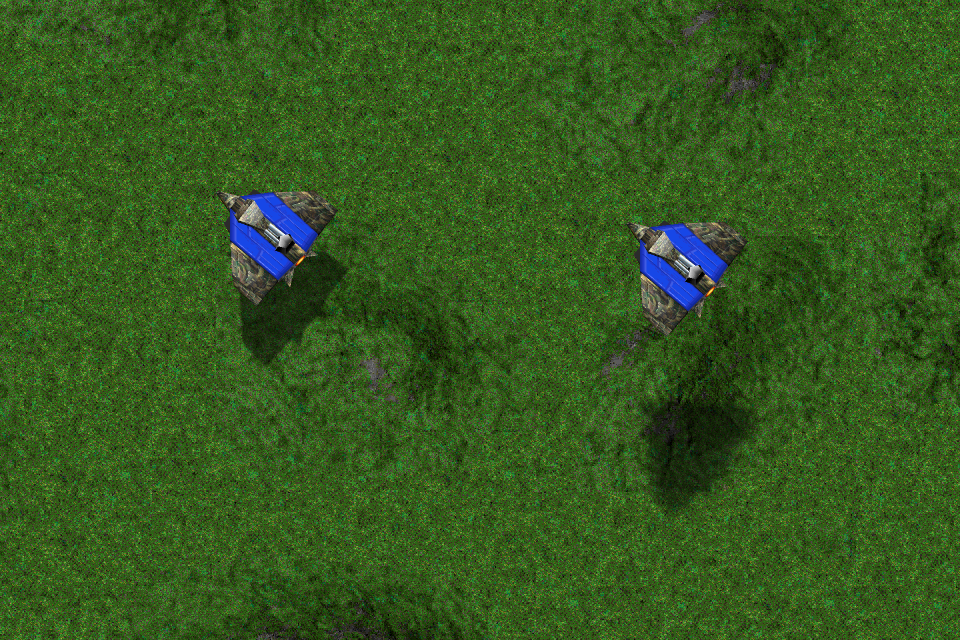
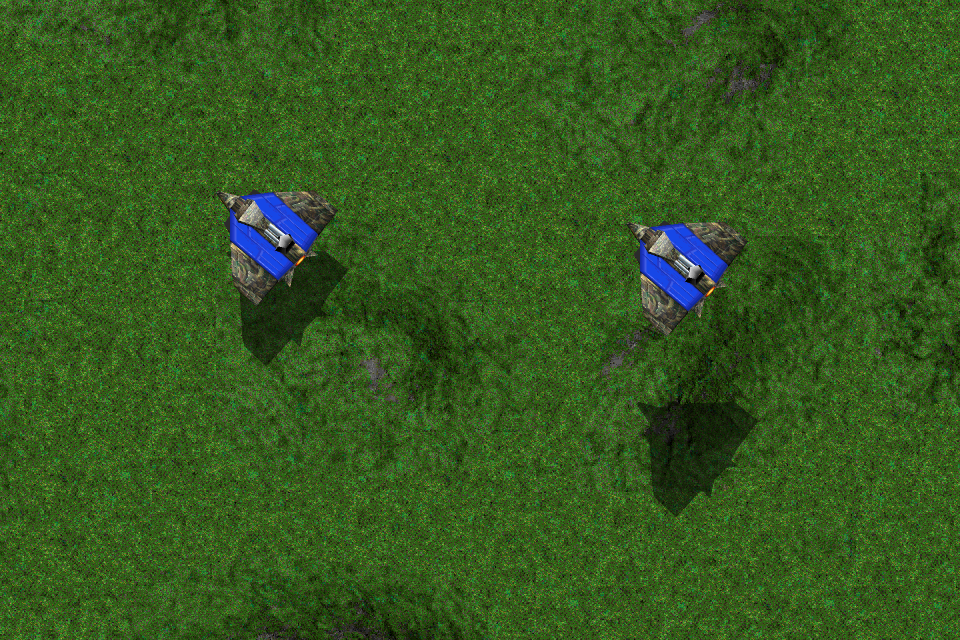
An aircraft’s shadow spreads out as its height above the ground increases. The renderer softens the original silhouette while keeping narrow shapes, such as wings, connected.
These Hurricanes are fixed at two different heights. Compare the tighter shadow on the left with the softer one on the right.
Two original CORE Hurricane bombers are staged at 60 and 180 world units above Greenhaven’s ground. Their original activated COB poses, heights, heading and 2× camera stay fixed. The actual Metal renderer executes the same cloned drawlist with only SoftShadows off and on; ShadowSoftness remains 100%. The on/off/on replay restores identical pixels, and the committed publication remains unchanged. Vegetation is omitted from this presentation fixture to keep both shadows visible. This is a frozen altitude study, not simulated flight. Native 960 × 640; no resampling or retouching.
Engine 617540c5 · October 4, 2026 · Modern GPU on Metal. Browse the published renderer source.
Units leave footprints and tank tracks. Explosions leave scorch marks that fade over time.
Presentation interpolation smooths movement between simulation ticks without changing the simulation itself.
Refractive rings distort the scene around a blast. Weapons, explosions and construction have separate glow-strength settings.
Stills and videos on this page were captured in Nanolathe, in scenes staged to show each feature. The interactive water and material viewers are browser studies adapted from the renderer. Each section includes its capture settings and source.
Install the beta and point it at your Total Annihilation folder to use these settings in a game.
Install the beta